一、配置
1.配置 hexo 启动资源文件夹
1 | cd ~/my-blog |
修改和追加:
1 | post_asset_folder: true # 你已经启用,确认仍为 true |
2.确认依赖
1 | npm uninstall hexo-asset-image # 旧插件先卸掉,防止冲突 |
3.配置 typora 图片设置
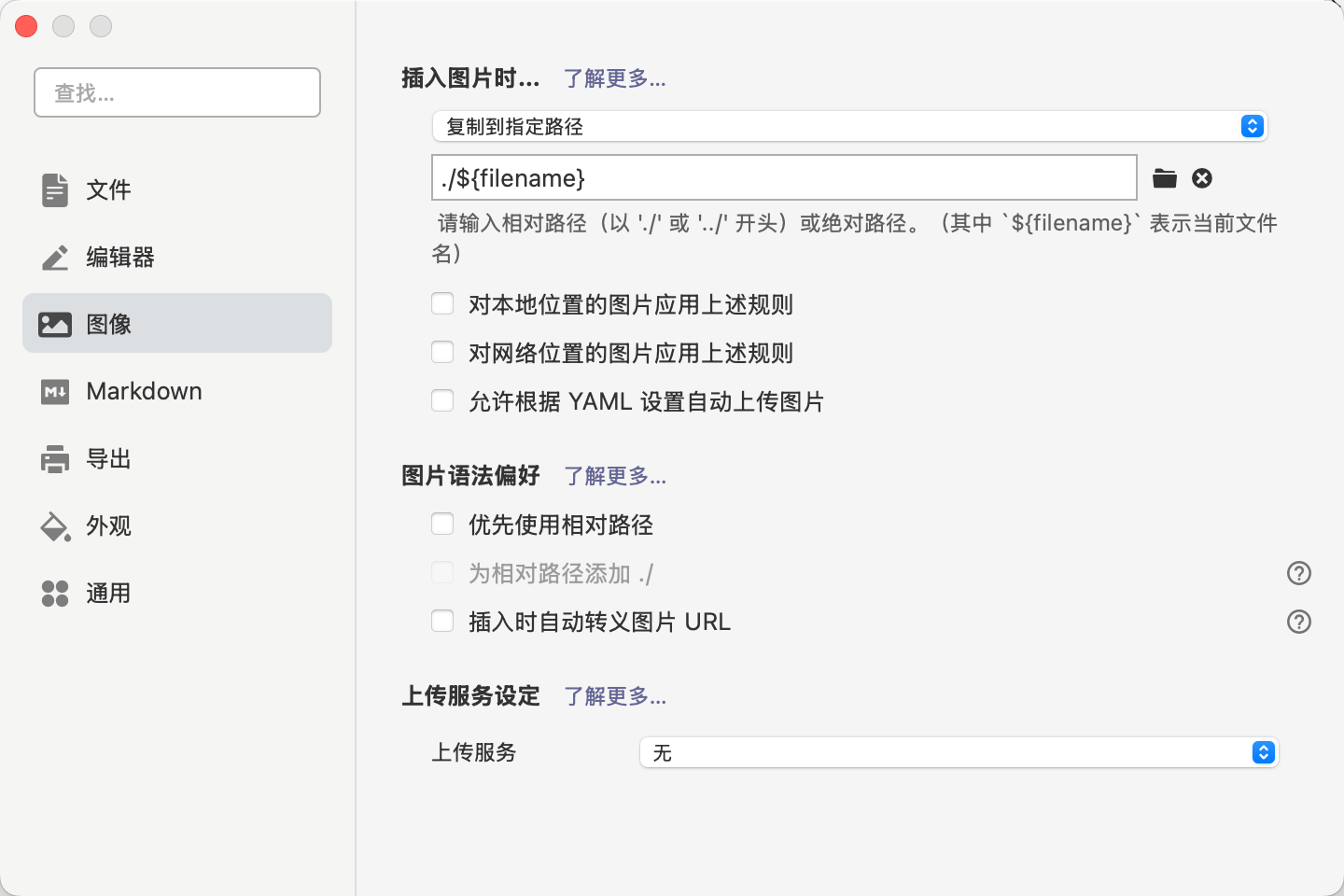
打开 typora-设置-图像:
(1)插入图片时:选择【复制到指定路径】
(2)图片存储路径:./${filename}
二、开写
1.新建文章
1 | hexo new "working_notes" |
2.直接部署
1 | hexo clean && hexo g && hexo d |
3.编辑内容
使用Typora打开working_notes.md文件编辑即可,创建文章时终端会显示md文件路径

三、额外配置
1.设置图标
(1)图标网站找一个图标,用 gpt 制作成32*32大小,将图片存在source/images/中,命名为favicon.png

(2)编辑themes/typography/layout/partial/head.pug,原内容是href=“images/favicon.png, xxx”,添加一个/

(3)去看看 themes/typography/source/images 里是否有 favicon.png;如果没有,就从现有图标处复制一份放进去